Draw, trace, and learn on CodeStepByStep
Add an interactive whiteboard directly to CodeStepByStep. Trace through code, draw diagrams, and take notes — all without leaving your exercises.
See It In Action
The whiteboard integrates seamlessly with CodeStepByStep exercises
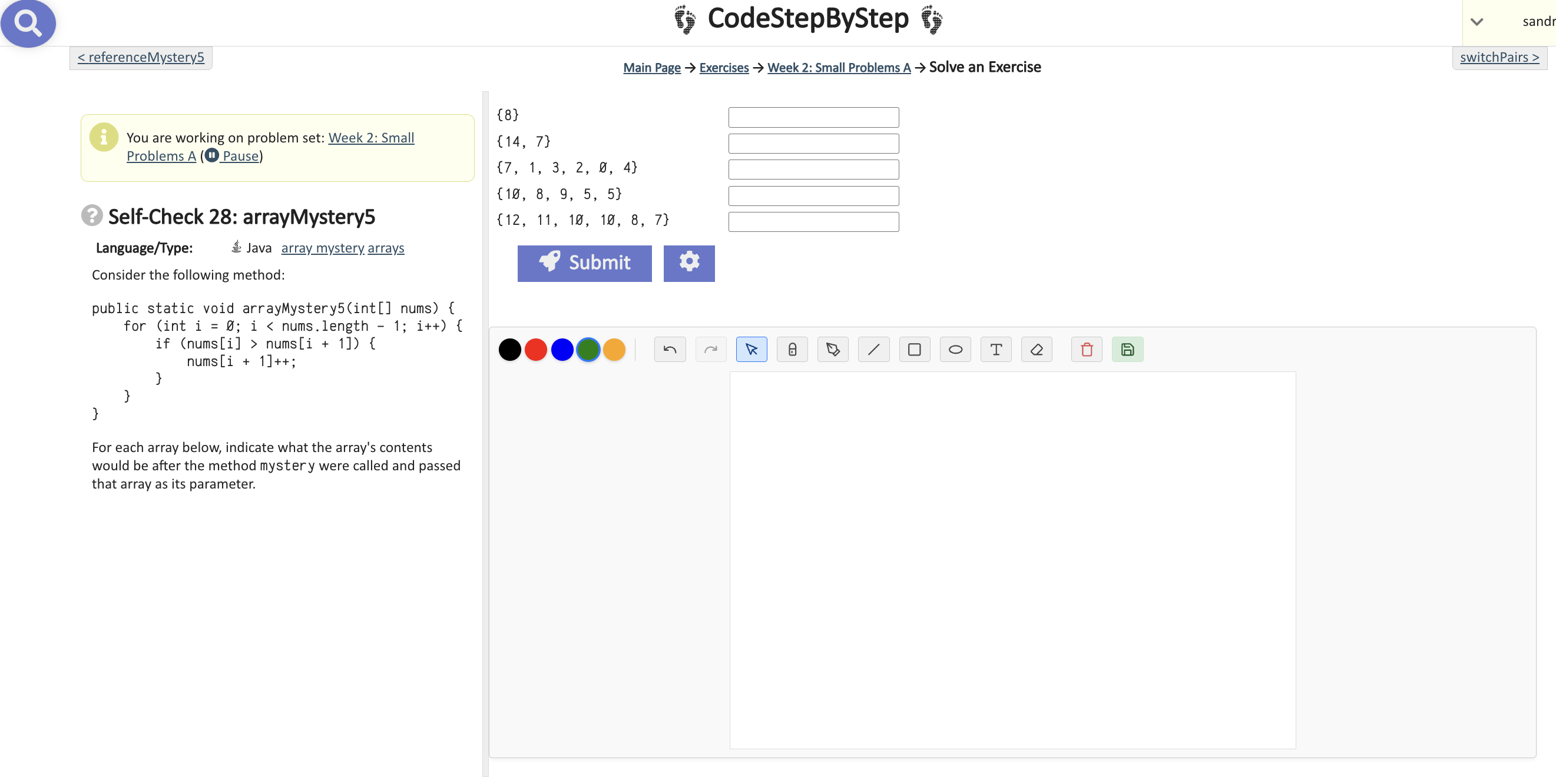
Whiteboard Integrated
The whiteboard panel appears directly alongside your CodeStepByStep exercises
Everything You Need to Learn Better
Simple, powerful tools designed for computer science students
Freehand Drawing
Draw diagrams, arrows, and annotations directly on your exercises
Code Tracing
Create tables to track variables and loop iterations step by step
Text Notes
Add typed notes and reminders alongside your code
Multiple Colors
Choose from a palette of colors to organize your notes visually
Auto-Save
Your drawings are automatically saved locally for each exercise
100% Private
All data stays on your device. No tracking, no accounts, no cloud
Instant Access
Toggle the whiteboard with one click — no page reloads needed
Export Options
Save your whiteboard as an image for studying later
Your Privacy Matters
This extension was built with privacy as a core principle. Your notes, drawings, and data never leave your computer.
No Servers
Everything runs locally in your browser
No Tracking
Zero analytics, no usage monitoring
No Account
Install and use instantly, no signup
Ready to learn smarter?
Join students who use the whiteboard to better understand code tracing, arrays, recursion, and more.
Works with Chrome, Edge, Brave, and other Chromium browsers